We Are Creative Design Agency

Lorem ipsum dolor sit amet, consectetur adipisicing elit. Illum, fuga, consectetur sequi consequuntur nisi placeat ullam maiores perferendis. Quod, nihil reiciendis saepe optio libero minus et beatae ipsam reprehenderit sequi.

Find Out More Purchase Theme

Our Services

Lovely Design

Lorem ipsum dolor sit amet, consectetur adipiscing elit. Praesent feugiat tellus eget libero pretium, sollicitudin feugiat libero.

Read More

Great Concept

Lorem ipsum dolor sit amet, consectetur adipiscing elit. Praesent feugiat tellus eget libero pretium, sollicitudin feugiat libero.

Read More

Development

Lorem ipsum dolor sit amet, consectetur adipiscing elit. Praesent feugiat tellus eget libero pretium, sollicitudin feugiat libero.

Read More

User Friendly

Lorem ipsum dolor sit amet, consectetur adipiscing elit. Praesent feugiat tellus eget libero pretium, sollicitudin feugiat libero.

Read More

Recent Work

Monday, May 9, 2016

Northrop Grumman Foundation’s Fab School Labs Contest is officially open for submissions! Win a dream STEM Lab.

Fab School Labs


Northrop Grumman Foundation’s Fab School Labs Contest is officially open for submissions!

The contest is designed to drive student interest in science, technology, engineering and mathematics – otherwise known as STEM - by giving public middle schools the opportunity to create the STEM lab of their dreams, made possible by a grant of up to $100,000 for each.

Over 200 schools participated in last year’s inaugural contest, and the five winning schools are in the design and construction phase of creating the science lab of their dreams.

Please see the press release below, and check out the Fab School Labs page, for more information on the contest.


                               Adobe SystemsNEWS RELEASE 

                                                              Contact:         Mark Root
Northrop Grumman Corporation
703-280-2739 (office)
571-425-2132 (mobile)
                                                                        mark.root@ngc.com

Rosalie Hagel/Kate Fisher
                                                                        Finn Partners
                                                                        954-765-3636
                                                                        fabschoollabs@finnpartners.com
                       

Northrop Grumman Foundation 2016 Fab School Labs Contest Now Open for Submissions
Starting May 1, public middle schools can enter for a chance to win one of five grants up to $100,000 each to fund a dream technology lab or science classroom

FALLS CHURCH, Va. –May 4, 2016 – The Northrop Grumman Foundation is welcoming submissions now through June 17, 2016 for the second year of its Fab School Labs online contest. The school lab makeover contest provides public middle schools with an opportunity to make their ideal state-of-the-art science lab a reality with grants of up to $100,000 each.

The Northrop Grumman Foundation invites teachers, principals and school administrators to enter their eligible school by visiting www.FabSchoolLabs.com, where they can learn about the contest and submit their application, along with photos and video to help tell their story. Finalist schools will be chosen and their videos will receive online votes of support through the Fab School Labs Facebook page to assist with the final selection process. The winning schools will then team up with Fab School Labs contest partner, Flinn Scientific Inc., to design a state-of-the-art science lab or classroom complete with all of the tools, resources and furnishings needed to incorporate new and innovative methods and subject matter.

The contest is designed to drive students’ interest in science, technology, engineering and mathematics (STEM) by giving public middle school teachers and school administrators the chance to create the STEM lab of their dreams and provide students access to the latest learning tools and technologies that will stimulate as well as teach.

Inadequate funds to purchase equipment and an overall lack of facilities are frequently cited problems by teachers and educators as it relates to science and mathematics education at the elementary and middle school level, according to the National Science Board and other education sources.

“It is an honor to once again offer five schools, teachers and their students the chance to receive a new, state-of-the-art science lab or classroom,” said Sandra Evers-Manly, vice president, global corporate responsibility, Northrop Grumman, and president, Northrop Grumman Foundation. “The amount of support received from students, teachers and the communities by our 2015-2016 winners was overwhelming, and we look forward to rallying more communities during the 2016-2017 school year.”

In addition to the website, teachers are also encouraged to follow the competition at www.Facebook.com/FabSchoolLabs.

Northrop Grumman and the Northrop Grumman Foundation are committed to expanding and enhancing the pipeline of diverse, talented STEM students globally. They provide funding to sustainable STEM programs that span from preschool to high school and through collegiate levels, with a major emphasis on middle school students and teachers. In 2015, Northrop Grumman and the Northrop Grumman Foundation continued education outreach efforts by contributing more than $17 million to diverse STEM-related groups such as the Air Force Association (CyberPatriot), Conservation International (ECO Classroom), the REC Foundation (VEX Robotics), National Science Teachers Association and the National Action Council for Minorities in Engineering.  For more information, please visitwww.northropgrumman.com/foundation.


--
Thursday, March 17, 2016

Zoho ShowTime - free interactive presentations with some cool features!


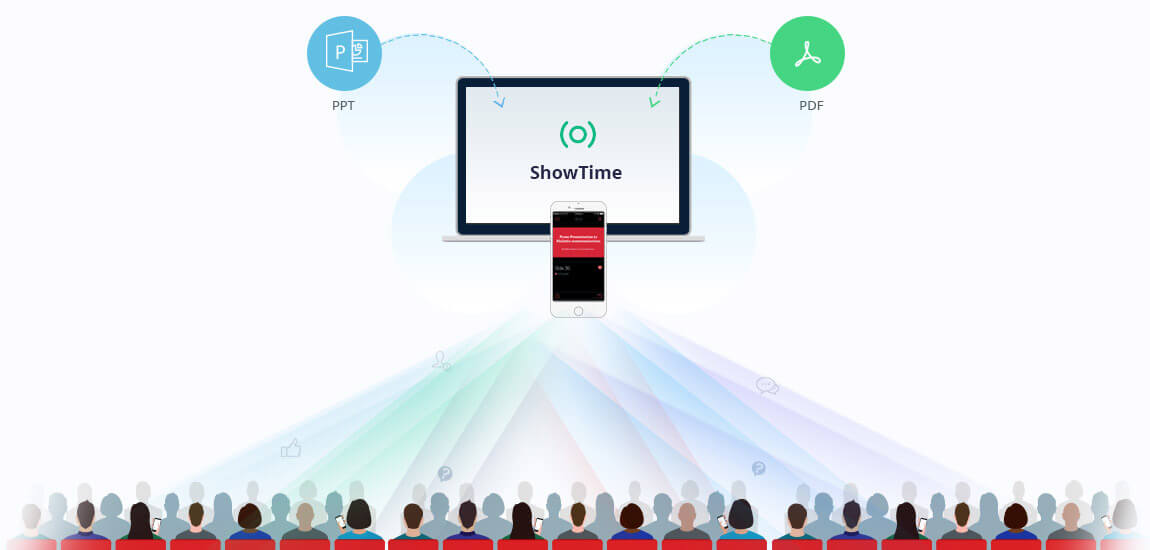
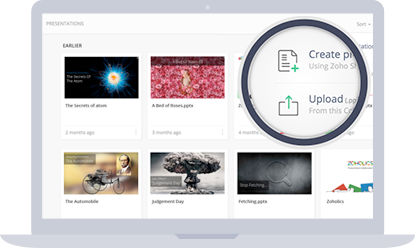
Zoho ShowTime is a very cool, free, tool that makes your presentations more interactive. It's easy to setup an account and then get started using it. You can import an PowerPoint presentation or PDF or create a new presentation right in it. (if you use Google Slides, just download it as a PowerPoint and then import).


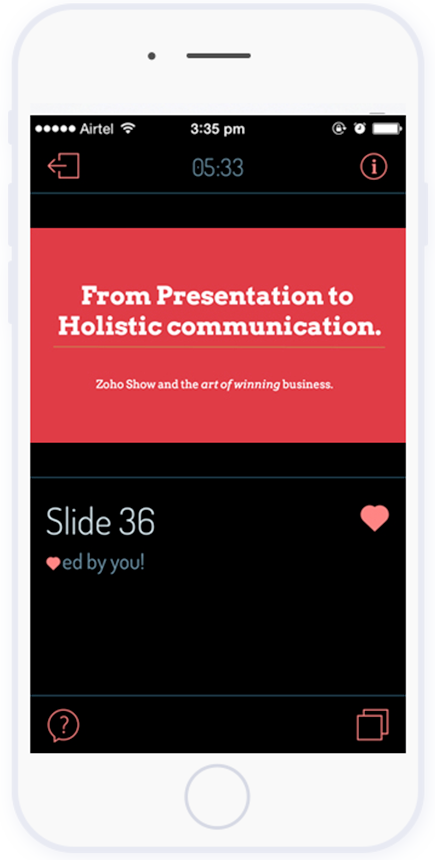
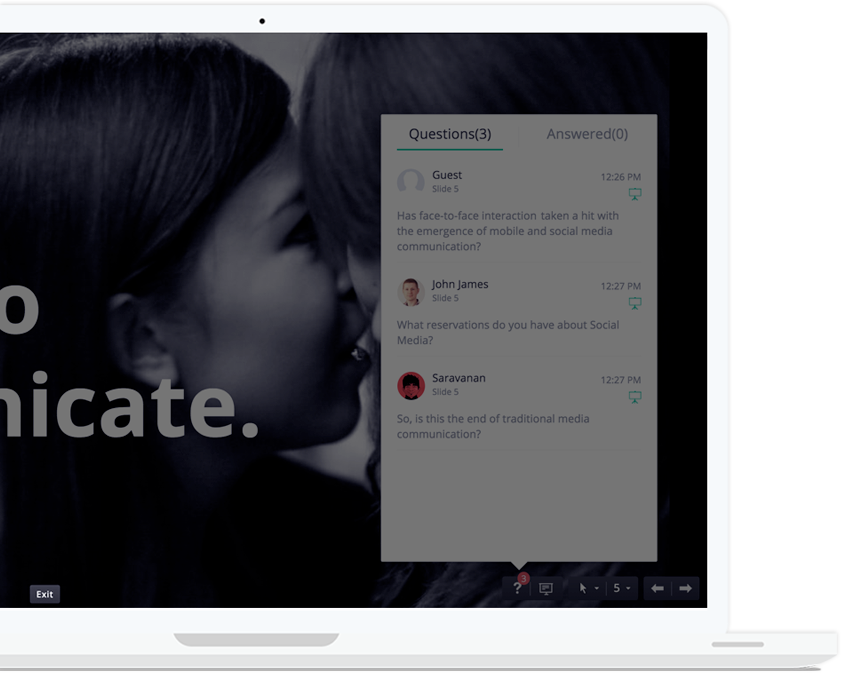
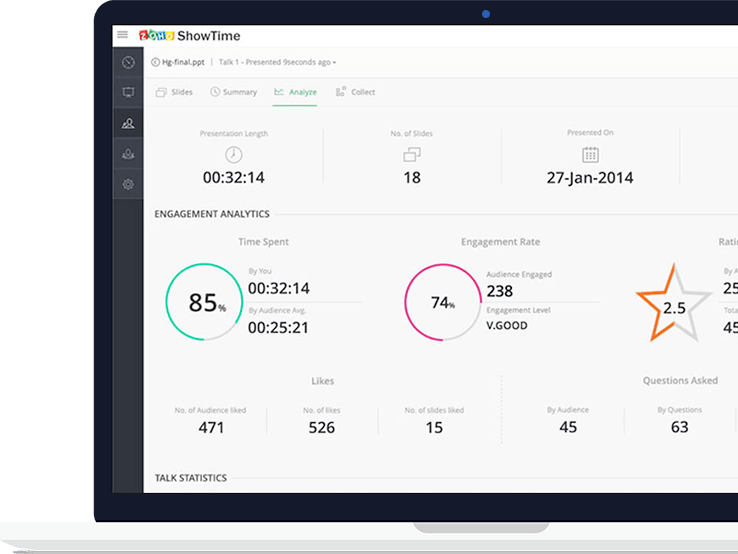
What's different about Zoho ShowTime is that it gives you live interaction with the audience as well as analytics. You can stream the slides out to the audience's devices, encourage your audience to like slides and ask questions (which you can answer immediately or later), project these questions to everyone, and then get metrics about the presentation and audience.

Zoho ShowTime mobile (iOS and Android) apps: https://www.zoho.com/showtime/mobile-apps.html 


Take a look at how it works.


The audience gets to follow along on their device, like slides and ideas, ask questions and then rate the presentation at the end.


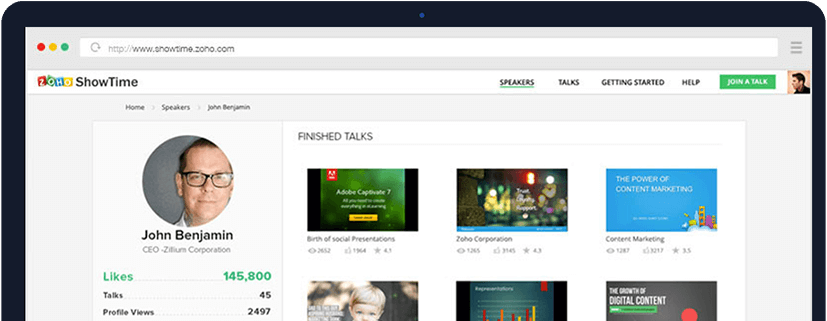
You get an online profile with all of your presentations and metrics to share and to use to better yourself.


It is free, easy to use, and will help engage your audience and improve your presentations.

Great for teachers, trainers, and students.


Related:

Zoho - suite of on-line business, productivity & collaboration apps


--



Soundtrap - make music online from any device!


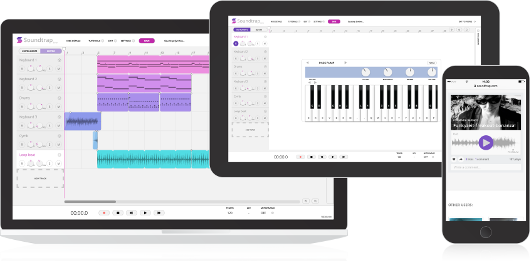
Soundtrap is a new site that lets you make music online, from any device, with your own instruments or the virtual ones on the site. The free version offers 5 projects, 750 loops, 151 instruments and sounds and lots of other features. There are premium levels with more features and less limits.


Soundtrap works on Mac, Windows, iPad, Android tablets and phones, Linux and Chromebooks. It allows you to start, edit and collaborate on your recordings wherever you are. 

You can collaborate with others and even share your music on Facebook, Twitter and SoundCloud, as well as iTunes.

You can sign in with Office 365, Google, Facebook or an email account. 


This is a great tool that schools can use to help students learn and explore music. 

The Education version is in a walled garden and COPPA compliant and has different pricing than the consumer version. With this version, students and teachers are in their own private area and can more easily collaborate. Pricing is based on number of users - Starter Pack is $249/year for up to 50 users. You can use the online calculator to find pricing for more users. 

A great resource for schools, especially with all of the cuts to music an arts. 


-

Two infographics with tips for becoming a Power Google User!


Google is an excellent research and search tool, but there are some tips and features that a lot of people don't know about. These two inforgraphics have some great tips and information on getting more out of Google.

(click on image to view larger, or download and view)


 HackCollege.com 


----------------------------------

Apps for Touchscreen Chromebooks


Touchscreen Chromebooks are becoming more popular, and flip models like the Acer C738T are also getting popular. These Chromebooks open up some more options and features for students.

Here is a short list of apps that are great for touchscreen Chromebooks:


--

Explain Everything - Collaborative Whiteboard on any platform

Build a website with PageLines


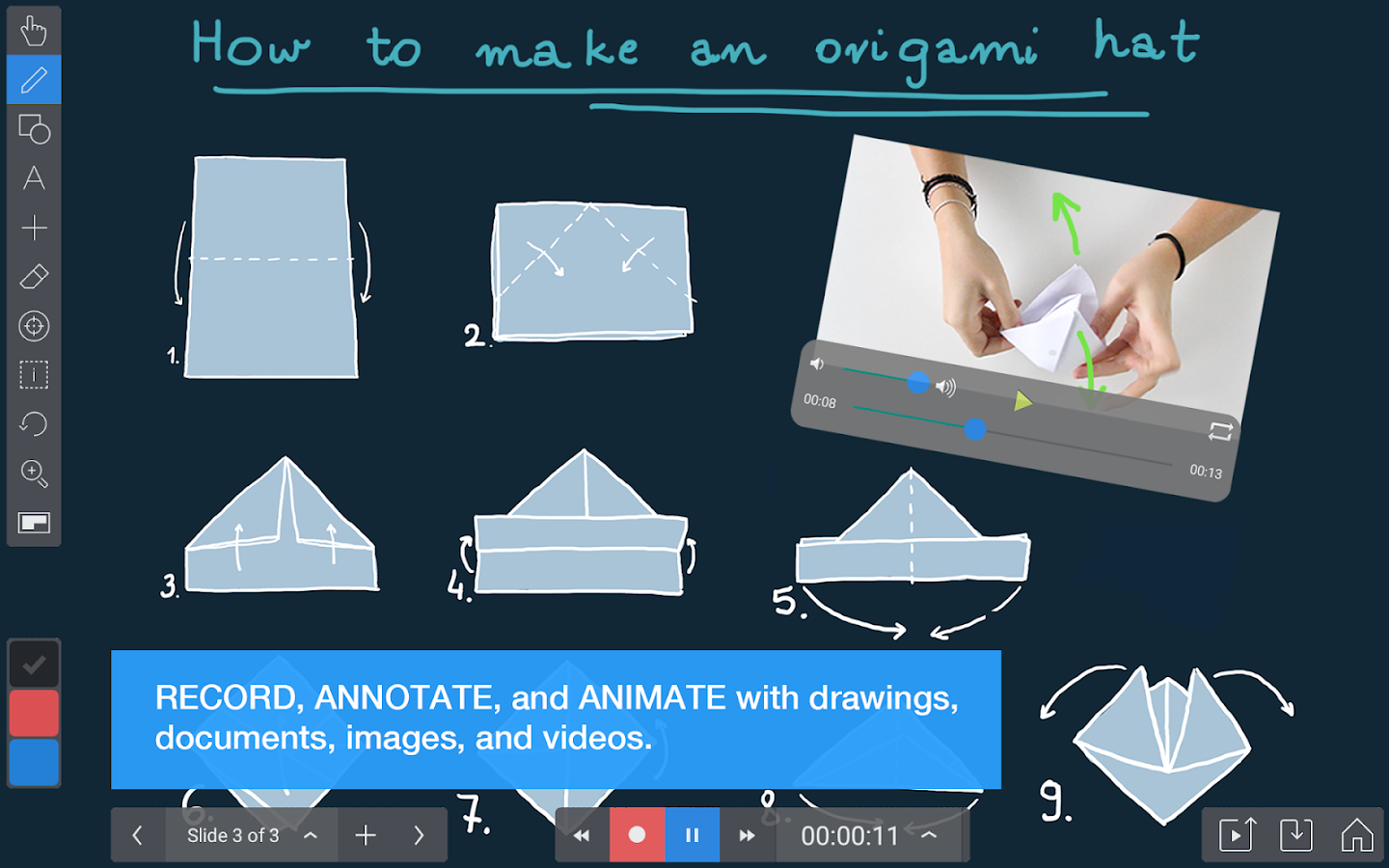
Explain Everything is a collaborative whiteboard app/site that is easy to use, has some great features, and works on all platforms, including Chromebooks (great for touchsreen ones). The free version includes access to viewer and collaboration features* of Explain Everything on iPad, Android, Chrome and Windows, and 100MB of storage on Explain Everything Discover. There are also premium versions with more features. 

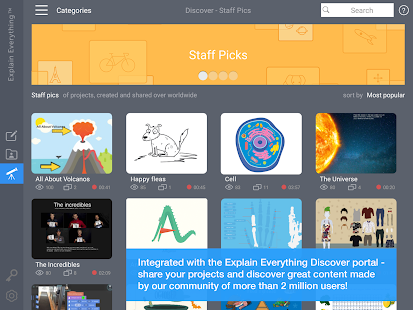
Explain Everything allows you to create animations and presentations, with voice over, screencasts,  and collaborate on the projects. In addtion, there is a huge repository of projects people have created with Explain Everything that you can access and use. You can also import different files into Explain Everything to use in your project.

This is a great tool for teachers and students:
- lesson presentations
- student presentations and projects
- collaboration tool for remote projects
- remote study help


  Explain Everything™ Whiteboard- screenshot thumbnail

   Explain Everything™ Whiteboard- screenshot
   Explain Everything™ Whiteboard- screenshot


Available on the App Store, Google Play, Windows Store, and Chrome Web Store.
(Explain Everything™ Collaborative Whiteboard will be available in the US on March 16th)


--

Wednesday, March 2, 2016

Assistive Technology and Accessibility Resources


One of the things I do in my role as a K-12 Education Strategist is work on resources for schools to use. I've been working on a resource document that has resoures on Assistive Technology and Accessibility and thought I would share it here:


Related:

More Accessibility Resources

Google Accessibility Features and Resources


-

Monday, February 1, 2016

EdTech Expo 16 - free educational technology conference - 2-12-16 Westchester NY


Ed Tech Expo 16 is a free educational technology conference being held on Friday, February 12, 2016 at the Westchester Marriot in Westchester, NY.

There will be some great sessions around edtech, along with vendors with demos and products.

"2016 looks to be a milestone year in educational technology. Curriculum and testing requirements are driving a move towards 1:1 and large scale mobile device deployments. This new model will require a fresh approach to traditional IT support infrastructure. Every aspect of a school's framework for technology will need to be evaluated and strengthened. This year EdTechExpo will be focusing on the technology and support needed to sustain this new paradigm."
Register and get more info below:

http://www.edtechexpo.com/ 

Friday, February 12, 2016
9:00 AM - 2:30 PM
Marriott Westchester
670 White Plains Road Tarrytown, NY 10591 Phone: (914) 631-2200


Friday, January 22, 2016

YouTube record from webcam no longer available - try ClipChamp instead


Image result for youtube logoImage result for arrowLogo

YouTube used to have a feature that allowed you to record directly from your webcam. As of January 16th, this feature is no longer available. According to Google, "it was rarely used and based on old technology".

Here is a nice option, especially for Chromebook users.

Clipchamp is a nice site that allwos you to record a video file and then upload it to YouTube or Google Drive. It's very easy to use - go to the site and click "record video". You can share directly to YouTube, Facebook, Vimeo, or Google Drive or save it to your computer.

There is also a Chrome extension for it.

It looks like there is a 5 min limit, but it should be good for most needs.

And of, course WeVideo is always an option.


-


Thursday, January 21, 2016

Evernote Clearly is going away - here are two alternatives


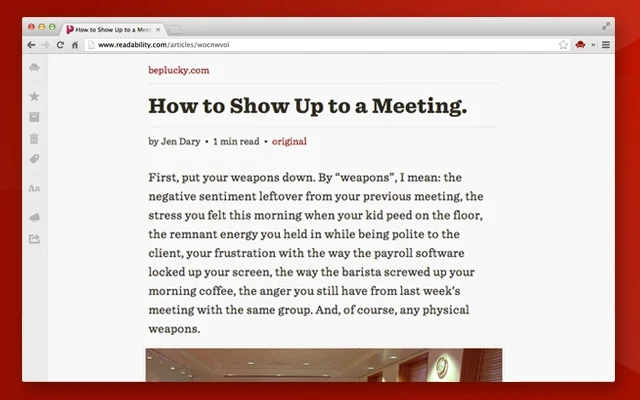
Evernote Clearly is a great browser extension that cleans up a web page so that jus the article is visibgle for viewing, eliminating distractions like ads and other links. It is a great tool for students to use to help them focus on what they are reading. Unfortunately, Evernote is not going to support it anymore (to focus more on their core app) and you won't even be able to download it after tomorrow.


Here are two options you can use going forward:

1. Evernote Web Clipper - the Evernote web clipper can perform a similar function. Click on it while on the site you want to clean up, click "simplified article" and then read it. When done, just close out the clipper window and it goes back to the original site.


2. Readability - Readability is a web and mobile app that zaps clutter and saves web articles in a comfortable reading view.The official Readability extension for Chrome provides a better way to read online, turning any web page into a comfortable reading view right in your web browser. Features: • "Read Now" to disable surrounding webpage noise and clutter • "Read Later" to save content to your personal reading list • "Send to Kindle" to send any web page to your Kindle in a comfortable reading view • Tagging to help you keep your reading list organized • Automatically sync your reading list to your Kindle every day with Kindle digests • Printing • Sharing through email, Facebook, and Twitter • Configurable content appearance: font color and size


Both options work well and provide a useful tool for students.

There are other options also, but these are the two I like.


Related:

Evernote in Education Resources


-

Wednesday, January 6, 2016

Successful Studying Tips and Resources for Students


Study skills are often lacking in many students. They struggle to learn material and retain it, no matter what is done in the classroom. Here are some resources and tips to help them learn better study skills to help them learn and succeed.


Via Stopprocrastinatingapp.com (click on link for larger version)


Study Tips and Notetaking Resources

Important Skills Students Need for the Future that we need to help them learn

10 Important Skills Students need for the Future

Tuesday, December 29, 2015

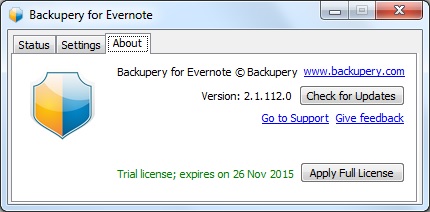
Backupery - free backup of Evernote and Google Bookmarks for Education users

Image result for www.backupery


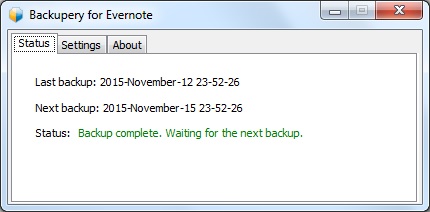
Backupery is a service that provides back up of your Evernote Data and Google Bookmarks.

It is free for education users. Backupery provides free licenses for teachers, students, or faculty members at a qualified academic institution, high school, university, or community college. The process to get the license is very simple - a user just needs to contact us and provide his/her name, and name of the institution or URL of the institution web page. http://www.backupery.com/edu/,

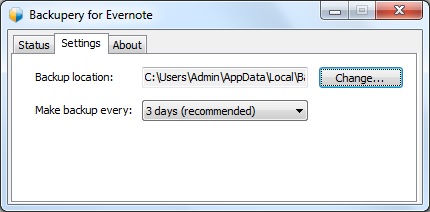
Backupery for Evernote is a Windows software application that performs regular backup of your Evernote data. This backup can be saved to your computer, external hard drive, USB memory, Google Drive and much more. It is easy to use and setup, easy to restore your date, backups attachments, works in the background, is secure and even has de-duplication and free space optimization.


Backupery for Chrome Bookmarks is a Windows software application that performs regular backup of your Google Chrome bookmarks. This backup can be saved to your computer, external hard drive, USB memory, Google Drive and much more. It is easy to use and setup, easy to restore your date, backups attachments, works in the background, is secure and even has de-duplication and free space optimization.


It is very important to have backups of your data. When I was CIO, I had my school district backing up all data to Barracuda Backup (on premise and 3 offsite) and had all of our Google Apps for Education data backed up with Backupify.

I backup my personal Google Drive files using the Google Drive sync app, and I do regular backups using Google Takeout of all of my Google Data. I also do regular exports of my Evernote data. All of my backups are also copied to an external hard drive, which I store in a fire-proof safe. I will now be using Backupery to also backup Evernote. I was using Revert.io but they were bought by another company (ThisData) and are no longer free (they do have excellent tools, including Google Admin, and pricing though).


Tuesday, December 15, 2015

Benefits of Google Apps and Chromebooks for Schools


Google Apps for Education New logo.png

chromebooks-apps-flyout-in.jpg
Benefits of Google Apps and Chromebooks
Updated version of this as a Google Doc: https://goo.gl/zbcAA2 


How does Google Apps and Chromebooks compare to Apple or Microsoft inside the classroom?
  • Google Apps and Chromebooks are extremely easy to use. Students and teachers can access thousands of web apps and extensions, most free, as well as everything on the internet.  
  • Schools using Chromebooks have great experiences with limited issues or concerns.
  • Unlimited file storage on Google Drive (any type of file)
  • plenty of resources to help teachers use them to improve teaching and learning
  • can use Office Editing (free app) in Docs, Sheets and Slides to edit Word, Excel and PowerPoint files
  • can use Office 365 or any web based software
  • can be used as the only device, or in a mixed device environment
  • huge community of users that share and support each other (over 50 Millions users of GAFE!!)
  • Google Classroom is a game-changer…it allows teachers to share resources and communicate with students, distribute, collect and grade assignments, and so much more.  Google Classroom resources for Educators


Resources for Teachers:


How do they manage a Chrome device versus an Apple or Microsoft device from an admin perspective?  
  • Chromebooks are extremely easy to manage, whether managing 30 or 30,000
  • Management is done through web based admin console from anywhere, on any device
  • do not have to physically touch the devices once they are enrolled
  • settings, apps, etc are all pushed out almost instantly
  • over 170 settings can be managed
  • manage users, networks, devices, apps, and much more
  • import users from a variety of systems into Google Apps easily
  • easiest devices to manage
  • no re-imaging,
  • easily shared in as a multi-user shared device


Technical Resources:


What is the ROI and price?  
  • huge ROI and low prices
  • GAFE is free
  • most web apps are free (even when the iPad app had a fee)
  • easy to use so they get used all the time in class (and <7 second start up)
    • Example - 1000 students - 3 year total cost of ownership
    • Windows PC $6,213,000
    • Chromebooks $1,071,000 - savings of $5,141,000 !!! (that is 82 % less)
    • Mac and Apple are  similar to or even higher costs than Windows (higher hardware costs, more labor to deploy and manage, software costs)
  • Example:
  • iPad: $399 + $99 Apple Care + $99 keyboard + $49 case = $646
  • Chromebook: $299 + $30 license  = $329 – half the price of an iPad
    • A Chromebook ($329) and a Nexus 7 tablet ($199 + $30 license + $30 case = $259 ) (Total $588) can both be purchased for less than the price of just one iPad
  • Chrome web apps are 95% free
  • iPad apps, while there are free ones, are more fee based and license is non-transferable
  • Windows devices have higher up-front cost, are harder to manage, require more IT support, Antivirus and more.
  • Most users are using web-based apps anyway, or there is a web based version available


* Easy to use, inexpensive, easy to manage, great training and PD resources, you can do anything on them. *


Our Blog

55 Cups
Average weekly coffee drank
9000 Lines
Average weekly lines of code
400 Customers
Average yearly happy clients

Our Team

Tim Malkovic
CEO
David Bell
Creative Designer
Eve Stinger
Sales Manager
Will Peters
Developer

Contact

Talk to us

Lorem ipsum dolor sit amet, consectetur adipisicing elit. Dolores iusto fugit esse soluta quae debitis quibusdam harum voluptatem, maxime, aliquam sequi. Tempora ipsum magni unde velit corporis fuga, necessitatibus blanditiis.

Address:

9983 City name, Street name, 232 Apartment C

Work Time:

Monday - Friday from 9am to 5pm

Phone:

595 12 34 567